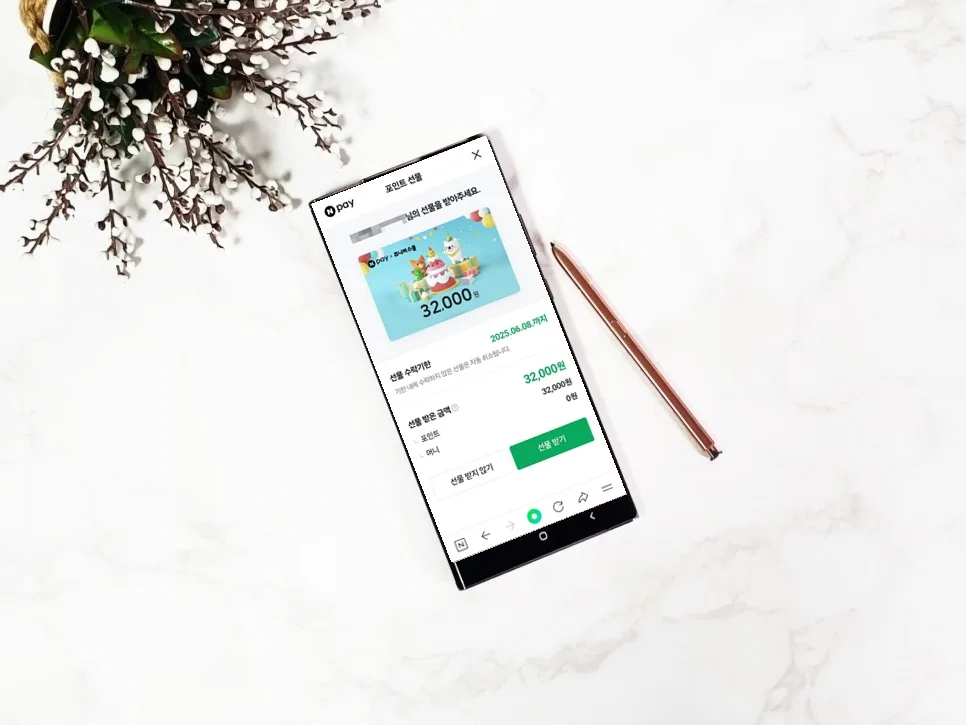
Naver Pay points can be gifted and received, with options to refuse. If a gift is refused or the acceptance deadline passes, the points are automatically canceled and returned to the sender. As of 2026, the monthly limit for gifting Naver Pay points is ₩2,000,000 (approximately $1,500 USD). This guide covers the process, limits, and what happens if a gift is refused.
How to Gift Naver Pay Points
To send Naver Pay points, open the Naver app, tap the
How to Accept or Refuse Naver Pay Point Gifts
Recipients will receive a notification or an in-app message within the Naver app to accept or refuse the point gift. To accept, simply tap 'Accept'. If you don't wish to receive the gift, tap 'Decline'. If no action is taken within the acceptance period, typically 3 days, the gift will automatically be canceled. It's important to decide whether to accept or decline promptly after receiving the gift notification.
What Happens When a Naver Point Gift is Refused?
When a recipient refuses a point gift, the sender will receive a notification, such as 'Gift Canceled' or 'Recipient Declined'. The gifted points are then automatically returned to the sender's account. There are no penalties or disadvantages for the sender if the recipient declines the gift. This ensures a smooth process where points are simply returned if the gift is not accepted.
Important Considerations for Gifting Naver Points
While Naver Pay point gifting is convenient, keep these points in mind: First, be aware of the monthly gifting limits: ₩2,000,000 (approx. $1,500 USD) for adults and ₩500,000 (approx. $375 USD) for minors. Second, gifted points are generally non-refundable or cancelable once accepted by the recipient. Third, if the recipient doesn't accept or explicitly refuses the gift within the deadline, it will automatically be canceled. It's advisable to confirm with the recipient before sending a gift. Naver Pay points function like cash but may have restrictions on certain purchases. For the most current information, always refer to the Naver Pay customer service center.
For more details, check the original source below.