In 2026, you can easily withdraw cash from ATMs without your Kakao Bank card using their Smart Withdrawal service, with daily limits of up to ₩500,000 (approximately $370 USD) and no fees. This feature allows for convenient access to funds, even if you forget your physical card.
How to Set Up Kakao Bank's Smart Withdrawal Service
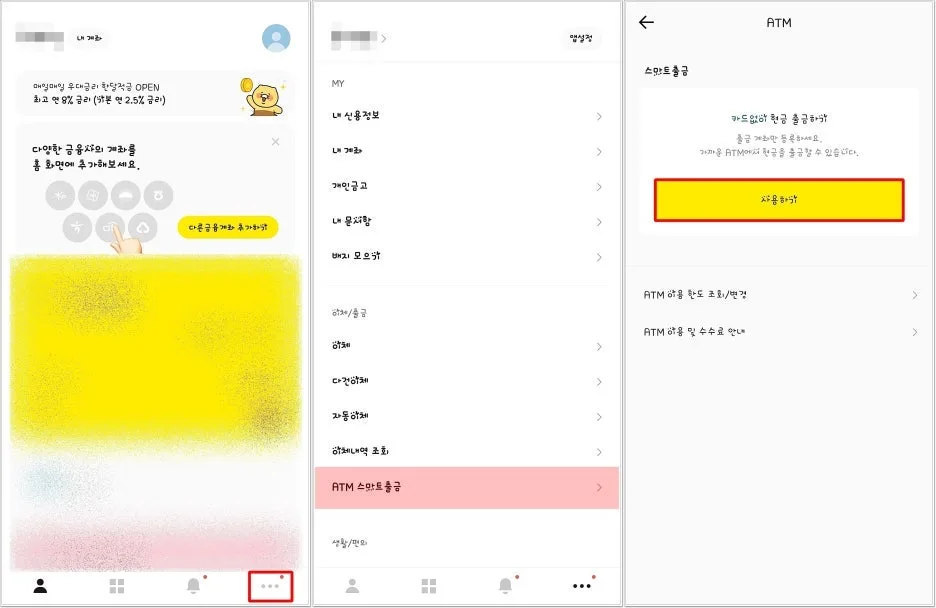
To start using Kakao Bank's Smart Withdrawal, open the Kakao Bank app and navigate to the 'More' menu, then select 'ATM Smart Withdrawal' and tap 'Use'. While other Korean banks offer cardless ATM withdrawal, Kakao Bank stands out by allowing this service not only at its own ATMs but also at partnered convenience stores and retail locations, all without any transaction fees. This feature is exclusively available to Kakao Bank account holders. The setup process involves selecting your preferred withdrawal account and setting a 6-digit PIN. You'll receive a text message notification immediately after successful registration.
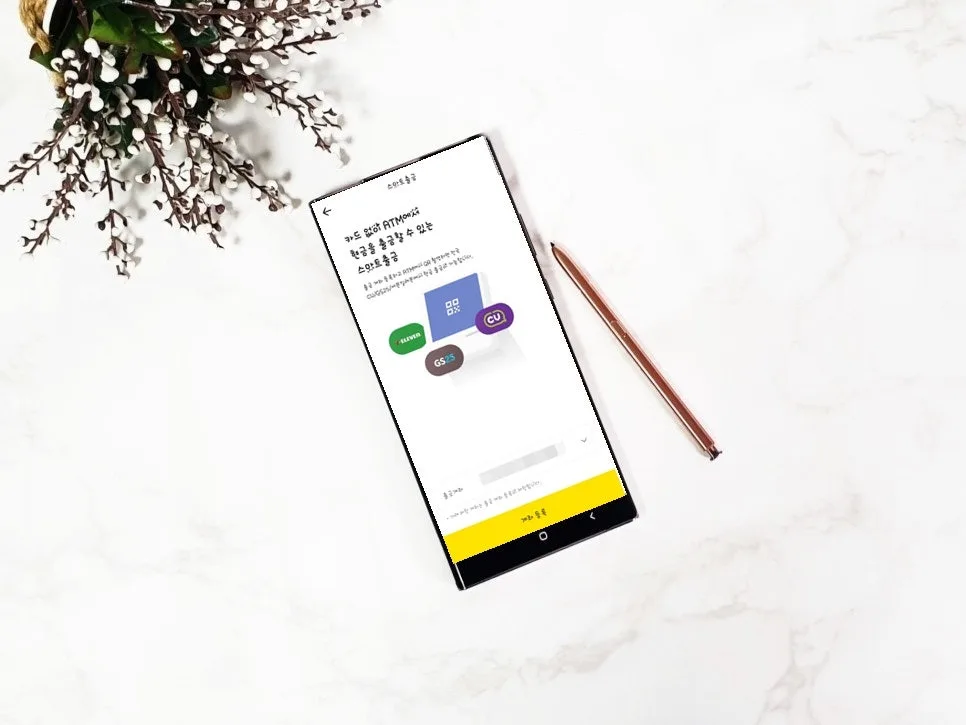
This user-friendly approach makes accessing your money simpler than ever.
Kakao Bank ATM Smart Withdrawal Fees and Limits (2026)
The Kakao Bank Smart Withdrawal service allows you to withdraw up to ₩500,000 (approximately $370 USD) per day and per transaction, with no option to increase this limit. The biggest advantage is that there are absolutely no fees involved. You can use this service not only at Kakao Bank's own ATMs but also at ATMs located within popular Korean convenience stores like CU and GS25, as well as Lotte retail outlets such as Lotte Mart and Lotte Department Store. This covers both domestic and international card transactions, including deposits, all free of charge. Even if a receipt incorrectly shows a fee, rest assured that it will not be charged to your account.
The Step-by-Step Process for Cardless Kakao Bank ATM Withdrawals
To withdraw cash without your Kakao Bank card, head to an ATM at a convenience store like CU or GS25, or a Lotte retail location. On the ATM screen, press the yellow 'Kakaobank' button, then select the 'Smart Withdrawal' menu. Simultaneously, on your smartphone app, tap 'Withdraw'.
An ATM screen will display a QR code that you need to scan with your smartphone within approximately 2 minutes. After the QR code is recognized, enter your desired withdrawal amount and press 'Withdraw'. Finally, confirm the transaction on the ATM by selecting 'App Transaction Complete' on the right-hand side of the machine. This entire process is designed to be quick and secure, allowing you to get up to $370 USD in cash without your physical card.
Changing Your Kakao Bank Smart Withdrawal Account and Important Notes
If you need to change the account linked to your Smart Withdrawal service, go to the service menu within the app and tap the three dots in the top right corner to select 'Deregister'. Then, tap 'Use' again to re-register with your desired account. Keep in mind that you can only register or deregister an account once per day. If you suddenly need cash and don't have your check card, Kakao Bank's Smart Withdrawal feature is a lifesaver, enabling you to withdraw money quickly and conveniently from nearby convenience store ATMs without any fees. Depending on your specific situation, ATM locations and service policies might vary, so it's always a good idea to double-check before you go.
For more details, check the original source below.