Finding your Korean registration address, historically known as your 'bonjeok' (본적), is now easily done via mobile in 2026. This guide covers how to check your registration address and issue electronic certificates, simplifying the process for Americans interested in Korean genealogy and official documents.
What is a Registration Address in Korea?
In Korea, the 'Registration Address' (등록기준지, Deungnokgijunji) refers to the administrative district where your family's registry was first recorded. This concept was previously known as 'Bonjeok' (본적) before the Family Relations Registration Act was implemented in 2008. While the name has changed, the core function remains: it serves as a foundational point for recording significant life events like births, marriages, and adoptions. Importantly, individuals can change their registration address if desired. This information is crucial for various official procedures and can now be conveniently accessed not only via PC but also through smartphones, making it easier for Americans to trace their Korean heritage or fulfill documentation requirements. Services like KakaoTalk's electronic certificate platform have further streamlined this process.
How to Check Your Korean Registration Address via Mobile
Related Articles
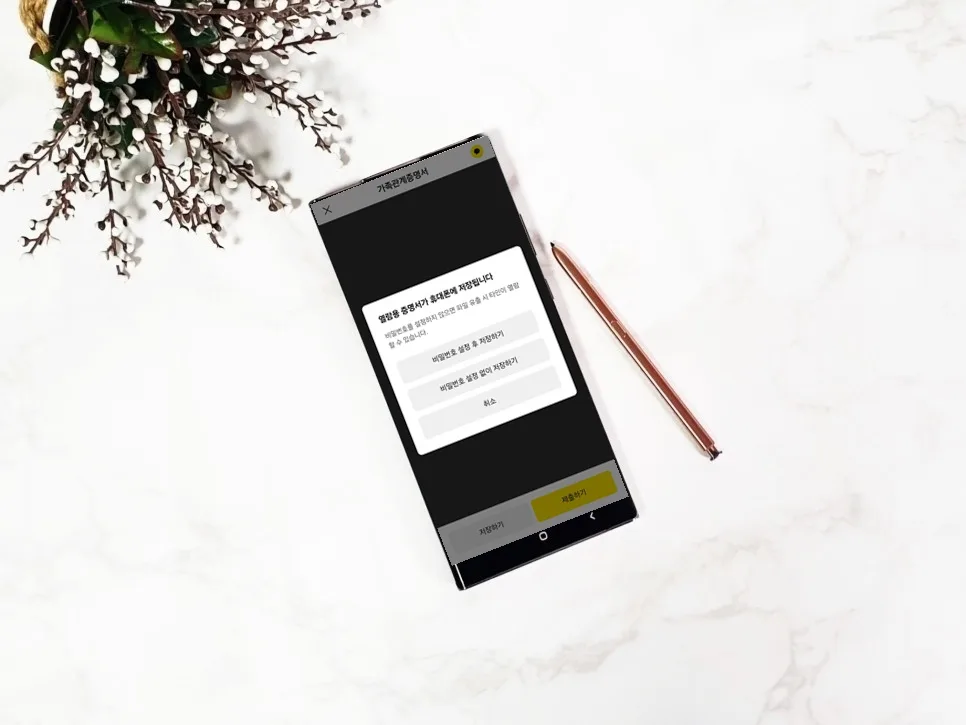
One of the simplest ways to check your registration address on your mobile device is by using the KakaoTalk app. Open KakaoTalk, navigate to the 'More' tab (usually at the bottom right), and select 'Wallet.' Within the Wallet section, find and tap on 'Electronic Certificates.' Here, you can apply to issue various documents, including the Family Relations Certificate. After selecting 'Family Relations Certificate' and proceeding to 'Apply for Issuance,' you'll need to complete identity verification. This typically involves entering your name, resident registration number, and the name of one of your close family members (parent, spouse, or child). You can choose from authentication methods like joint certificate, financial certificate, or simple authentication. Once verified, you can select the type of certificate needed (Family Relations Certificate or Basic Certificate), whether to show detailed information or general information, and whether to reveal the last digits of your resident registration number. You can then choose to view the certificate on-screen or issue it to your electronic document wallet.
What's the Difference Between On-Screen Viewing and Electronic Document Wallet Issuance?
If your primary goal is simply to confirm your registration address, the 'on-screen viewing' option is sufficient. Certificates issued this way will have a watermark indicating 'Viewing Only.' However, for official submissions to government offices, banks, or employers, you must use the 'Electronic Document Wallet' option. Certificates issued to your wallet are more secure, allowing you to set a password for added protection. They also offer features to directly send the document to a specific institution or share it via a QR code. Keep in mind that issued certificates are generally valid for viewing for 90 days, so it's best to issue them closer to when you need them. Ensure you select the correct options regarding the visibility of your resident registration number's last digits, as per the requirements of the institution you are submitting to.
Important Considerations for Changing Your Registration Address and Verifying Your Bonjeok
Your registration address can be changed based on your personal preference. To do this, you must file a 'Registration Address Change Report' at a court registry office. If you've forgotten your registration address or need to verify it, the family relations certificate issuance process described earlier is the easiest method. For official submissions, remember to utilize the password setting and direct institutional transfer features available with the electronic document wallet. Be aware that if you set a password, you'll need to share it with the recipient. Always check the validity period of the certificate (typically 90 days) and ensure you issue it when needed. For detailed procedures on changing your registration address, it's advisable to contact your local court registry office directly.
For more details, check the original source below.