For 2026 travel, Aero K check-in procedures require you to be at the airport. Aero K currently does not offer online or mobile check-in services. All passengers must complete check-in at the airport counter or via self-service kiosks. Seat selection is available during the kiosk check-in process, which opens four hours before departure.
When Will Aero K Offer Online & Mobile Check-In?
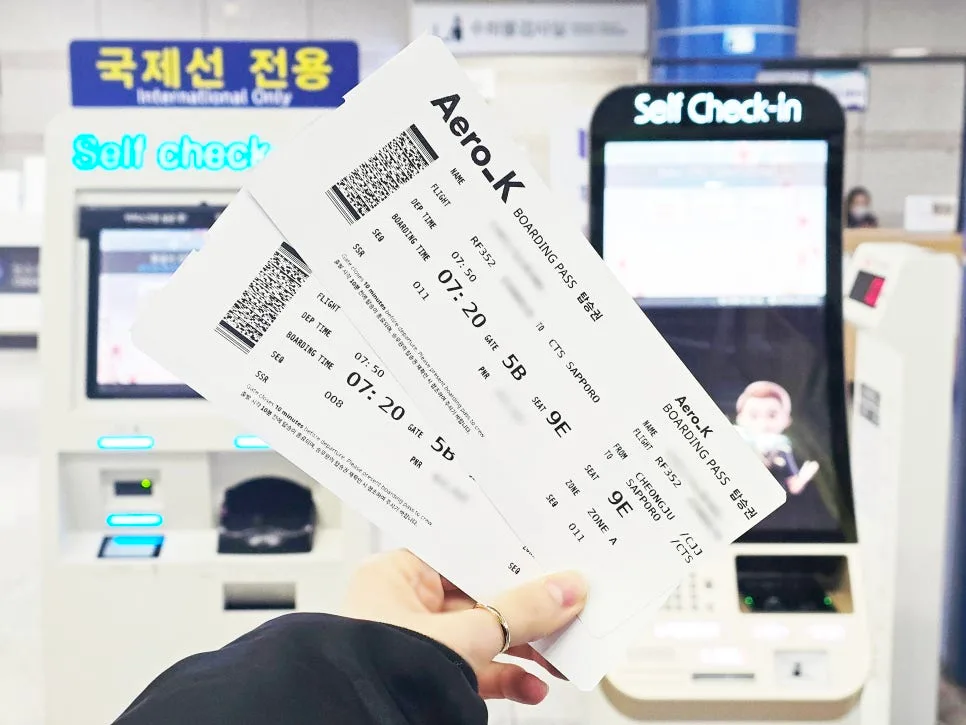
During a recent trip from Cheongju International Airport (CJU), it became clear that despite indications on their website or app, Aero K does not yet provide online or mobile check-in. This means you'll need to check in directly with an agent at the airport counter or use one of the self-service kiosks available. While this is the current policy, airline procedures can change. We're hopeful that Aero K will introduce convenient online check-in options soon for a smoother passenger experience. Until then, plan to arrive at the airport with ample time to complete your check-in process.
What Are Aero K's International Check-In Times & Requirements?
Related Articles
For Aero K international flights, in-person check-in at the airport counter is available from 2.5 hours up to 1 hour before departure. You must have your passport, E-Ticket, and any necessary visas. If using a kiosk, check-in opens earlier, starting 4 hours before departure and must be completed by 1 hour prior. Kiosks allow for quick identity verification via passport scan or booking reference. For checked baggage, you can drop it off from 2.5 hours before departure up to 20 minutes before. Using the kiosk can save time and allows you to select your preferred seat, with a dedicated line for baggage drop-off.
How Does Aero K Kiosk Check-In Work?
The Aero K kiosk check-in process is straightforward. First, select 'Aero K' on the kiosk screen and choose your preferred language. Review the important information displayed, including baggage regulations. Next, you'll verify your identity by scanning your passport or entering your booking reference number. If traveling with companions, you can add them to your booking. During this stage, you can select your preferred seats free of charge. Once seat selection is complete, the check-in process finalizes, and your boarding pass will be printed. If you have checked baggage, proceed to the self-service baggage drop line with your boarding pass. While occasional 'Contact Counter' errors may occur, retrying or using a different kiosk usually resolves the issue.
How Do I Select Seats During Aero K Check-In?
Since online and mobile check-in are not available for Aero K flights, using the airport kiosk is the most convenient way to select your seats. During the kiosk check-in process, you'll reach a step where you can choose your desired seat. This seat selection is complimentary. If you're traveling with family or friends and want to sit together, or if you prefer a window or aisle seat, it's best to select it during this stage to ensure availability.