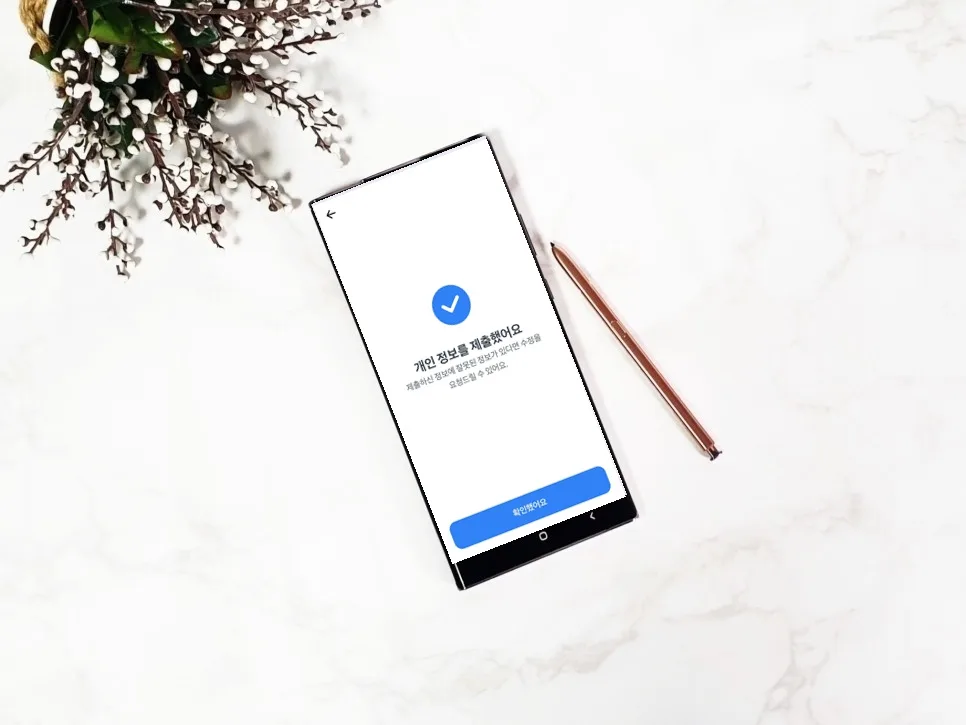
If you've received a notification to verify your personal information with Toss, you can easily complete it in about 5 minutes using your ID or passport. Failure to verify may result in service restrictions, so be sure to complete the process within the given timeframe.
Why Does Toss Require Personal Information Verification?
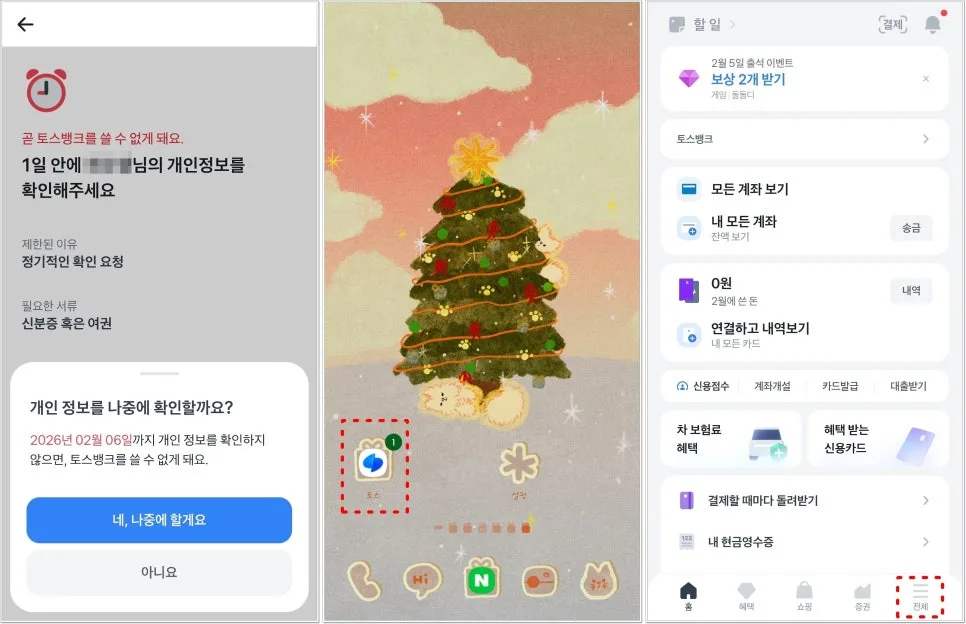
Toss offers a wide range of financial services, including free remittances, shopping, and credit management, making it a daily tool for many Americans. As the user base for Toss Bank grows, so does the importance of protecting personal data. To enhance the security of its financial services and prevent fraudulent use, Toss periodically requests users to verify their personal information. These requests typically arrive via app push notifications or SMS messages. If you don't complete the verification within the specified period, your account access might be temporarily limited. Therefore, it's best to proceed with the verification process as soon as you receive a notification in the Toss app. This is especially true if you hold a Toss Bank account, as you might need to verify your information before checking your balance.
How to Verify Toss Personal Information: Easy ID Verification
The Toss personal information verification process is straightforward and can be easily completed by anyone with a valid ID or passport. First, open the Toss app and navigate to the 'All' tab, usually found in the bottom right corner. From there, select the 'Toss Bank' menu and then tap on 'Toss Bank Account.' If verification is required, you'll see an option like 'Verify My Personal Information' below your account number and balance. Clicking this will initiate the verification process. After tapping 'Verify Personal Information,' you can choose to proceed with your Resident Registration Card (similar to a US driver's license or state ID), driver's license, or passport for authentication.
ID Photo Capture and Information Input: Be Accurate and Clear!
Once you select your ID or passport, the camera screen will appear. Ensure you capture your ID or passport according to the on-screen instructions. If the photo is blurry, obscured by glare, or if parts of the ID are cut off, the verification may fail. Therefore, take care to ensure all information on your ID is clearly visible before tapping 'Next.' After the photo capture, you'll be prompted to review basic personal details such as your name, phone number, email address, and home address (including street, building, and unit number). Double-check that all this information is accurate before proceeding. This step is crucial for maintaining the integrity of your account.
Employment and Transaction Information Review, Then Finalize
The final stage involves confirming your employment and transaction information. This procedure helps enhance the transparency of financial transactions and prevent financial crimes like money laundering. After inputting or confirming this information, tap 'I've confirmed' to successfully complete the entire personal information verification process. This ensures you can continue using Toss services without interruption. If you encounter any errors during the verification or have questions, you can reach out to the Toss app's customer support for assistance.
Toss Personal Information Verification: It's Important to Complete It Promptly
The Toss personal information verification process is not complicated and can be completed in just a few minutes with a valid ID. Failing to complete this verification within the specified timeframe can lead to restrictions on your Toss app and Toss Bank services. Therefore, it's essential to address these requests promptly to ensure uninterrupted access to your financial tools.