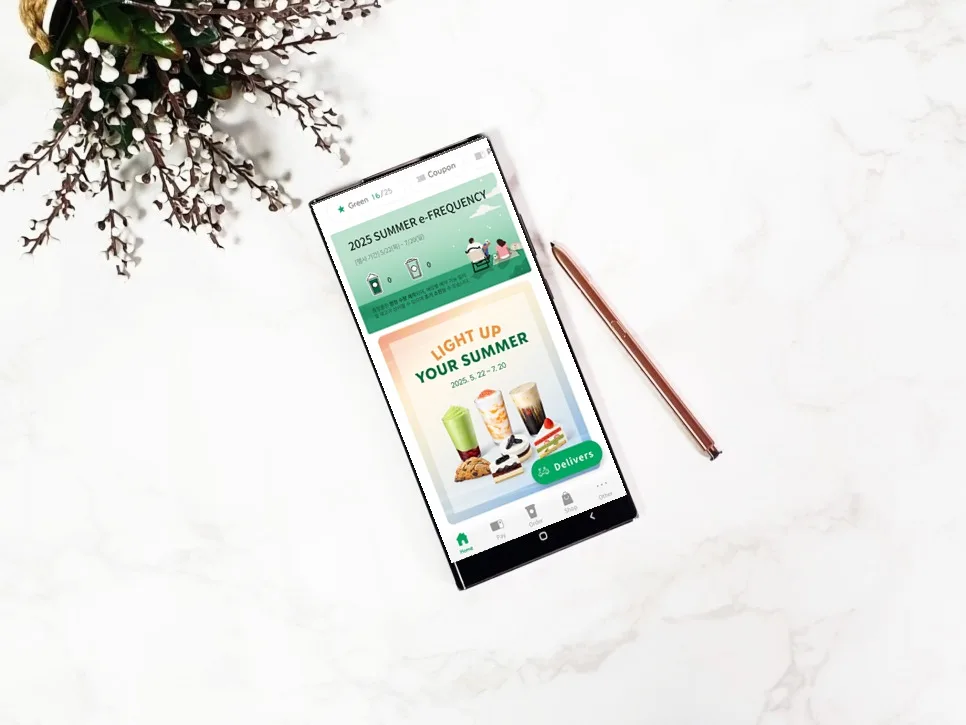
Curious about setting or changing your Starbucks nickname for a more personalized coffee run? In 2026, it's easier than ever to manage your 'Call My Name' service directly through the Starbucks app, including understanding usage limits and important guidelines.
How to Set Your Starbucks Nickname: A Step-by-Step Guide
The Starbucks 'Call My Name' service allows you to be addressed by your chosen nickname instead of your order number when picking up your drink. To set this up, first log into your Starbucks app. Navigate to the 'Other' tab located at the bottom of the screen. If you haven't set a nickname before, you'll likely see a welcome message. To proceed, tap on 'Account Information,' then select 'Nickname Settings.' Toggle the 'Use' option to 'ON,' agree to the terms and conditions, and then enter your desired nickname. Tap 'Save' to complete the process. This personalized nickname will appear on your order, whether you order in-store or via the Siren Order mobile app, often displayed as 'Nickname + Customer' or simply 'Nickname.' This feature is designed to be intuitive, making it simple for anyone to customize their Starbucks experience.
Starbucks Nickname Changes: Monthly Limit & Key Rules
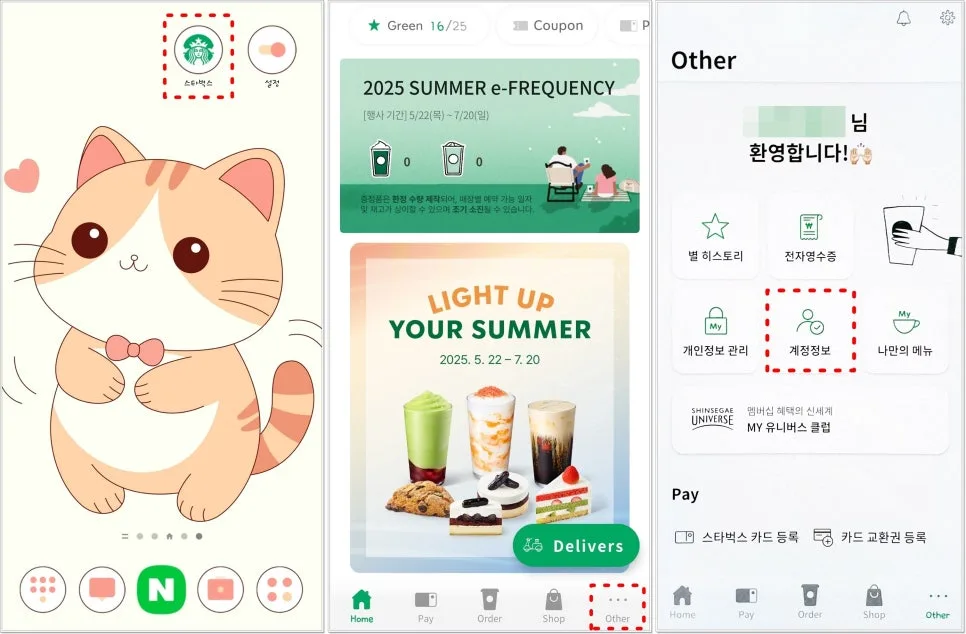
Changing your existing Starbucks nickname follows the same process as setting it up initially. Access the 'Account Information' menu within the app, find your current nickname, enter the new one, and tap 'Save.' The most crucial aspect to remember is the nickname change frequency: you can only change your nickname once per month, from the 1st to the last day of the calendar month. Even if you set your initial nickname within a month, that counts as your one change for that period, meaning any further modifications will only be possible in the following month. Additionally, there are restrictions on what you can use as a nickname. In Korean, it's limited to a maximum of 6 characters, and you cannot use profanity, sexually suggestive content, hate speech, slurs, defamatory remarks, or any terms that could confuse store partners. Adhering to these guidelines ensures a smooth and pleasant experience for everyone.
Creative Starbucks Nickname Ideas for 2026
Want to add a touch of personality to your Starbucks orders? Consider a fun and memorable nickname that stands out. While specific examples depend on cultural nuances and the platform's character limits, think along the lines of playful self-descriptions or humorous aspirations. For instance, a nickname like 'Coffee Lover,' 'Early Bird,' or something more whimsical like 'Dreamer' could work. The goal is to express your individuality while staying within the app's guidelines. These creative touches can bring a small moment of joy to your daily coffee ritual and make interactions with baristas more engaging. Remember to always check the character limit and avoid any restricted terms to ensure your chosen nickname is accepted.
Important Considerations for Your Starbucks Nickname
While setting and changing your Starbucks nickname is straightforward, it's essential to be aware of a few key points. The most significant is the monthly limit of one change. This means you should choose your nickname carefully to avoid needing to wait until the next month for adjustments. Always double-check the character count (maximum 6 Korean characters) and ensure your chosen name complies with the policy against profanity, offensive language, and terms that might cause confusion for store staff. These rules are in place to maintain a positive and efficient environment for all customers and employees. By understanding and following these guidelines, you can successfully personalize your Starbucks experience.
For more details, check the original source below.